Price, label and prepare for market day
The Cottage Food Kit · 2026 edition

Price it. Label it. Sell it.

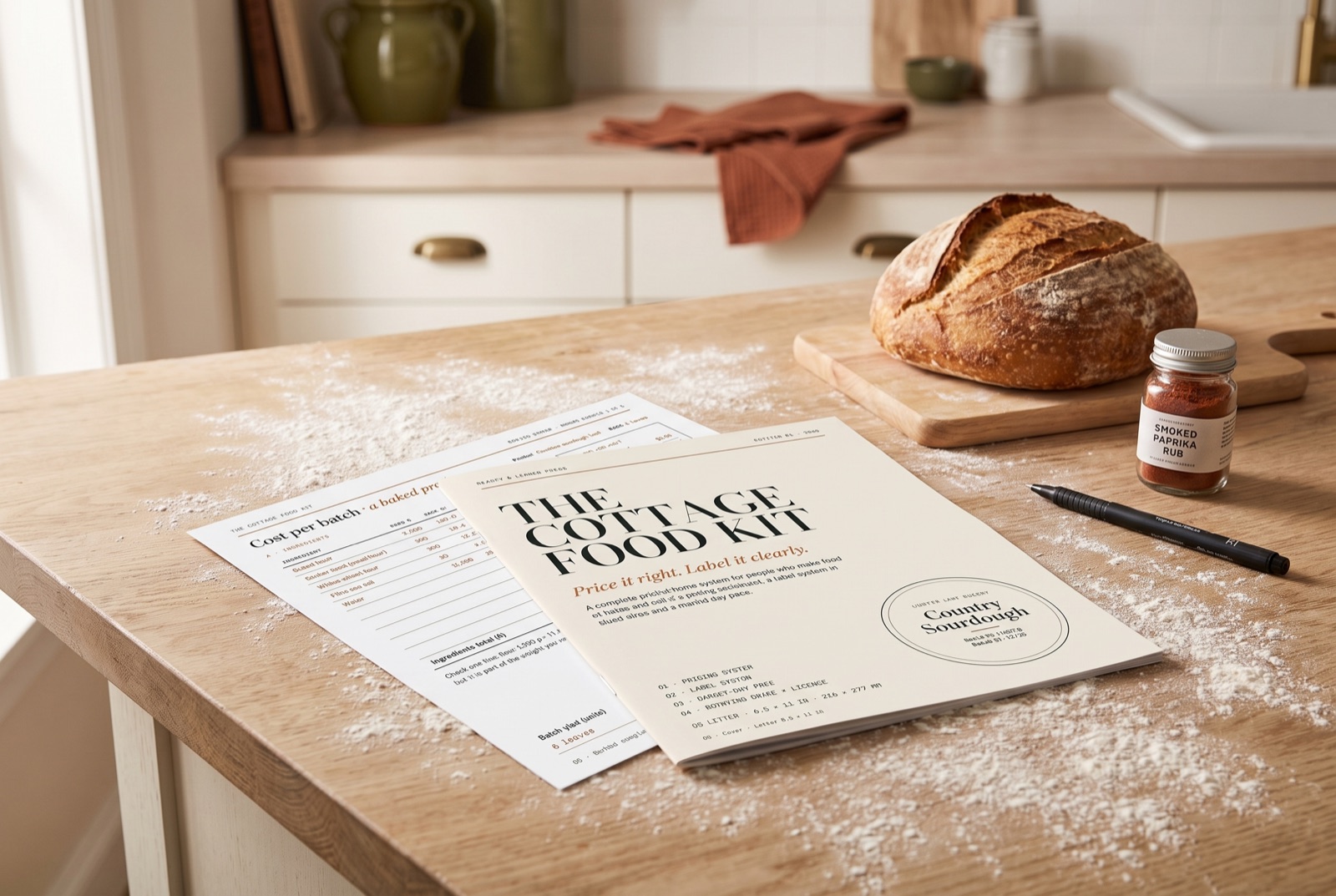
The Cottage Food Kit Web app + printable PDF · print at home · US Letter

Price every product so you actually make money, and print labels with your state's required wording already filled in. One app on your phone or computer, no Canva, no typing legal text. This afternoon, on the printer you already own.

Price it rightYour time and the jar included
Label it rightYour state's wording, filled in
Sell with easeSigns, cards, order forms
Everything included
Complete kit$35
  • Label Maker with 40 ready products, wording for all 50 states + DC, 4 styles and your coloursIncluded
  • Pricing Calculator that shows what underpricing costs you a yearIncluded
  • Pricing Spreadsheet for Excel, Google Sheets and NumbersIncluded
  • Online pre-order form + order tracker for Google Forms and Sheets, one-click copyIncluded
  • Market Signs: stall sign, price cards, care cards, thank-you notesIncluded
  • QR Code Maker for your Instagram, Venmo or order formIncluded
  • Pricing worksheet + 2 worked examplesIncluded
  • Labels: 2 in round, 2 × 4 in, 4 × 6 thermal + blanksIncluded
  • Print test sheet + printing guideIncluded
  • Care card, allergen card, stall sign, order formIncluded
  • Commercial-use licence, one businessIncluded
  • Fit guarantee: labels line up or we fix it or refund youIncluded

Comparable cottage-food label bundles on Etsy sell for $24–$44 on their own. This is the whole system for $35.

Open it on your phone or computer right after checkout and print with your own printer and paper. Nothing ships.
Add to your order
Get the Cottage Food Kit · $35
Instant access · Fit guarantee · Unlimited prints
What's inside, page by page
Delivery and refunds

Right after checkout you land in the app with your unlock code. Nothing physical is shipped.

Fit guarantee: print the test sheet first. If your labels still don't line up, or a file won't open, email us and we fix it for you or refund you.

Commercial-use licence

Print every page as often as you like for one food business. Put the labels on food you sell and add your own details. You may not share, resell or repackage the files.

Made for people who sell

  • Sourdough & bread
  • Cookies & bars
  • Cakes & cupcakes
  • Jams & preserves
  • Spice rubs & mixes
  • Candy & fudge
  • Granola & snacks
  • Dog treats
Not just printables

Six tools that do the work

All of them live in one simple web app on your phone or computer. Unlock it once with the code you get right after payment. No account, no password, no subscription, and it keeps working at the market without signal.

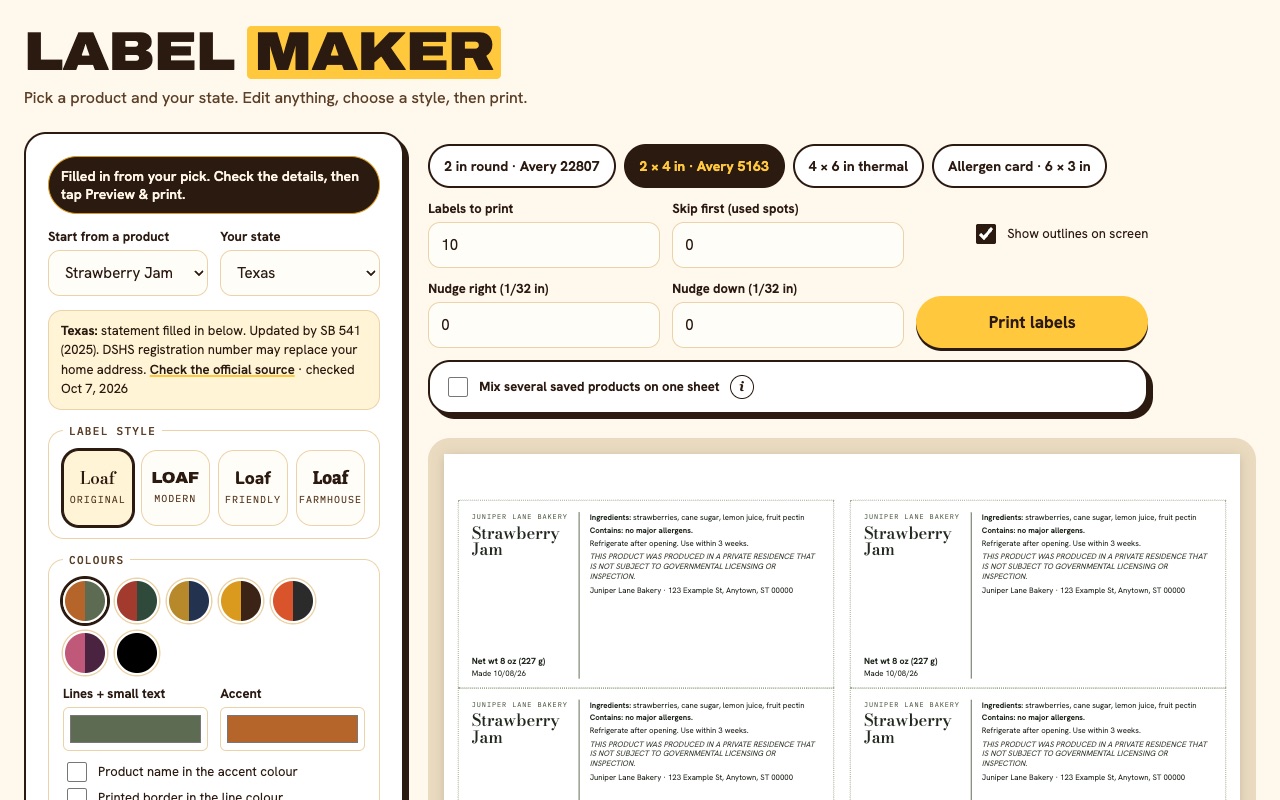
Label Maker with custom colours and a printed border on round sourdough labels
In the app · phone or computer

Label Maker

Pick one of 40 ready products and your state. Ingredients, allergens and your state's required sentence fill in. Choose a style (Original, Modern, Friendly, Farmhouse), your colours and a size. Mix several products on one sheet, or print allergen cards for the till.
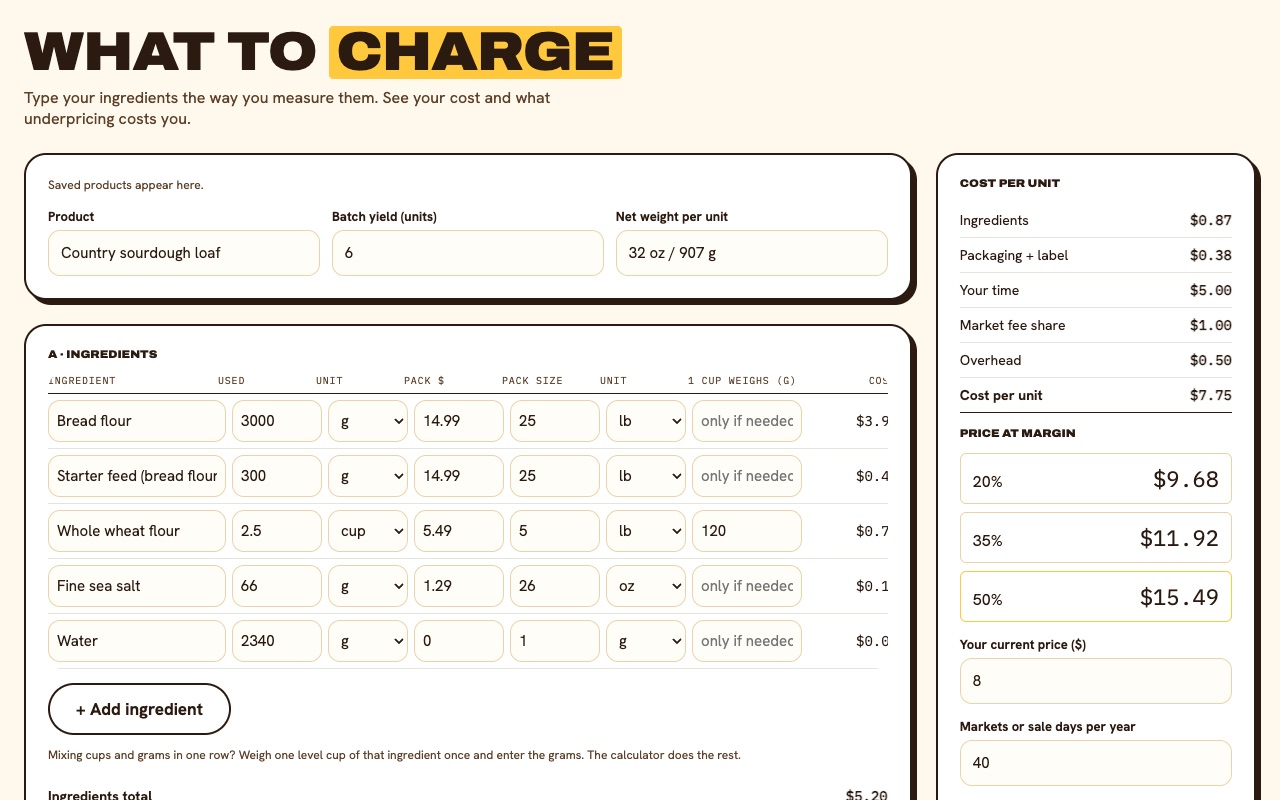
Pricing Calculator showing cost per unit, prices at three margins and money left on the table
In the app · phone or computer

Pricing Calculator

Type each ingredient the way you measure it: grams, ounces, cups or spoons. It works out your cost per unit, prices at 20%, 35% and 50% margin, and what your current price costs you a year.

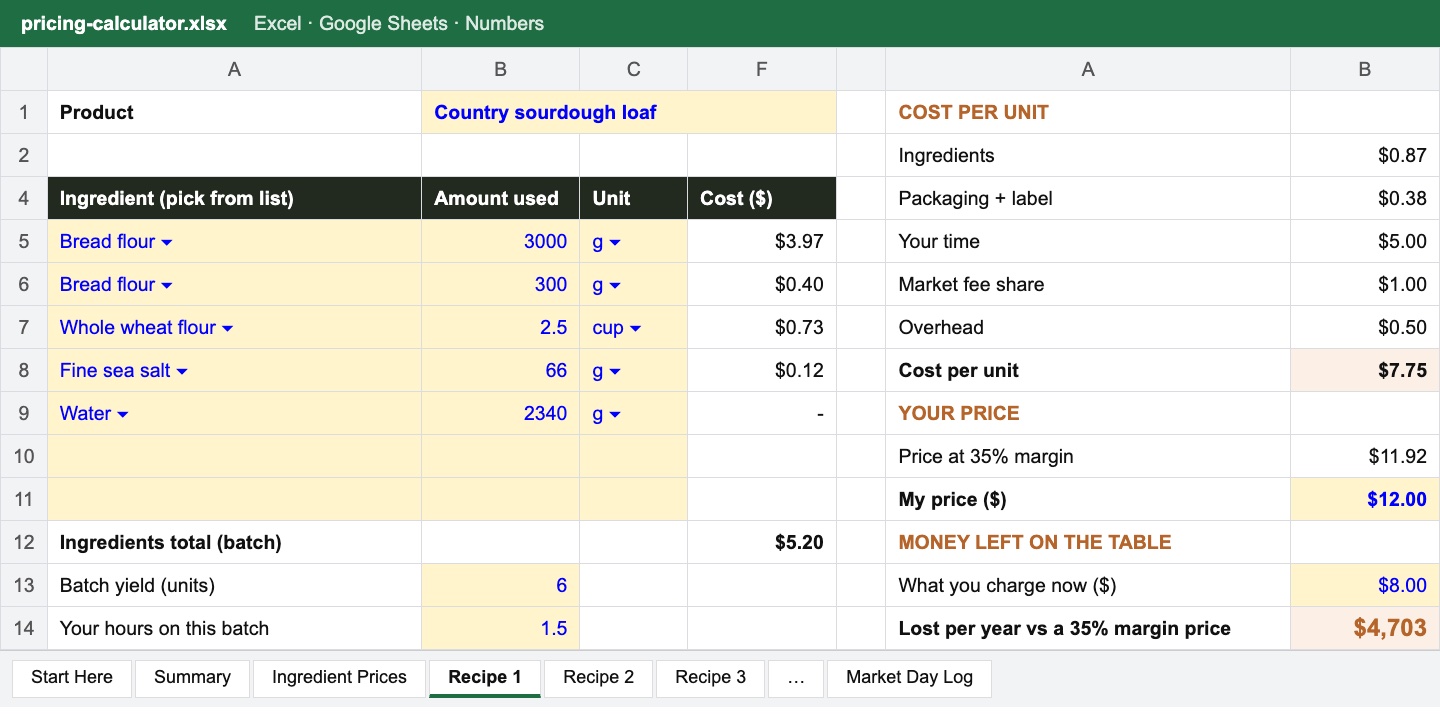
Pricing Spreadsheet recipe tab with ingredient dropdowns and cost per unit
Excel · Google Sheets · Numbers

Pricing Spreadsheet

Enter each ingredient's price once, then build up to 8 recipes from dropdowns. A summary tab compares every product and a market-day log tracks your profit. Yours to keep and edit.

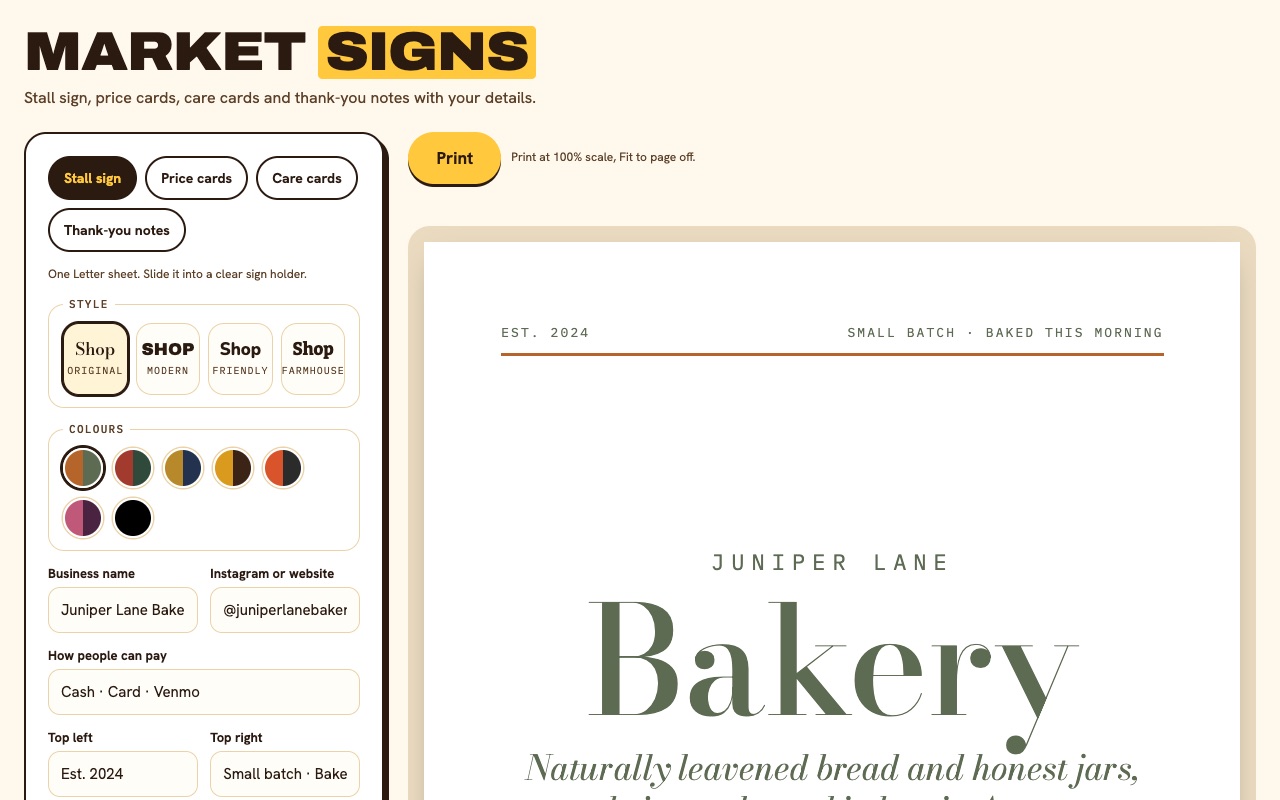
Market Signs tool showing a stall sign with the business name, a short description, pre-order line and QR code
In the app · phone or computer

Market Signs

Your stall sign, price cards, care cards and thank-you notes, with your name, prices and QR code. Same four styles and colours as your labels. Type it, print it, done.

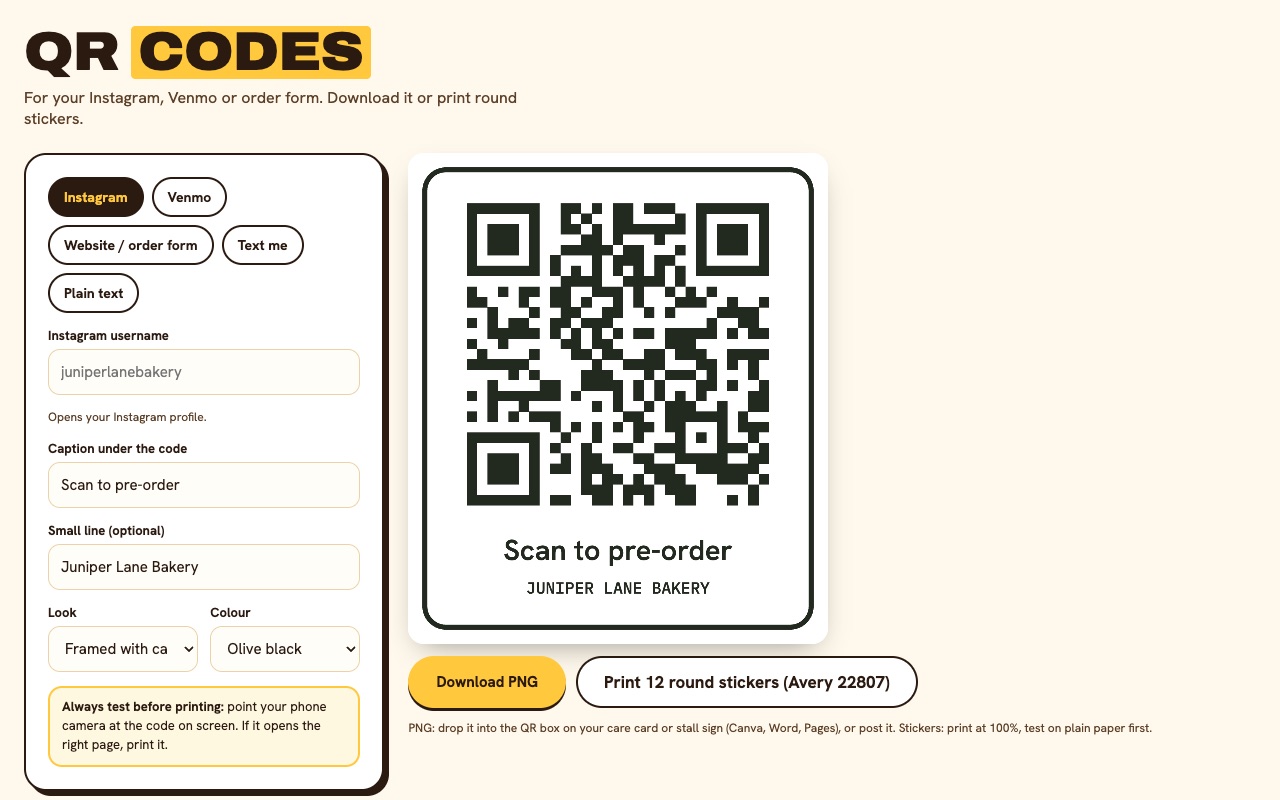
QR Code Maker turning an Instagram link into a framed QR code
In the app · phone or computer

QR Code Maker

Turn your Instagram, Venmo, order form or website into a QR code for your stall sign and care cards, or print it as round stickers.

Google Forms + Sheets · one-click copy

Pre-order Form + Tracker

One tap copies a ready order form and order sheet into your Google account. Orders fill the sheet by themselves, you tick Paid and Picked up, and the bake list adds up exactly what to make for each pick-up day.

Why it's different

Not another Canva template

Template bundles

You type the legal text yourself

Here, your state's required sentence fills in for you, checked against the official source, with the date we checked it.

Template bundles

Labels only. No prices.

Here, a Pricing Calculator and Spreadsheet show your real cost per unit, your time included, before you print a single label.

Template bundles

"Print at home" and good luck

Here, a test sheet, a printing guide, nudge controls and a fit guarantee. Plus blank spares and a commercial licence, which almost none include.

Your market-day paperwork, done for you

Everything around the food. Sorted.

Your state's wording, filled in

Pick your state and the required home-kitchen sentence appears, with a link to the official source. All 50 + DC.

40 products, ready to print

Sourdough, cookies, jams, rubs and more, with ingredients and allergens already written.

See what underpricing costs you

Ingredients in grams, ounces or cups, plus your hours and booth fee. It shows the dollars you leave on the table each year.

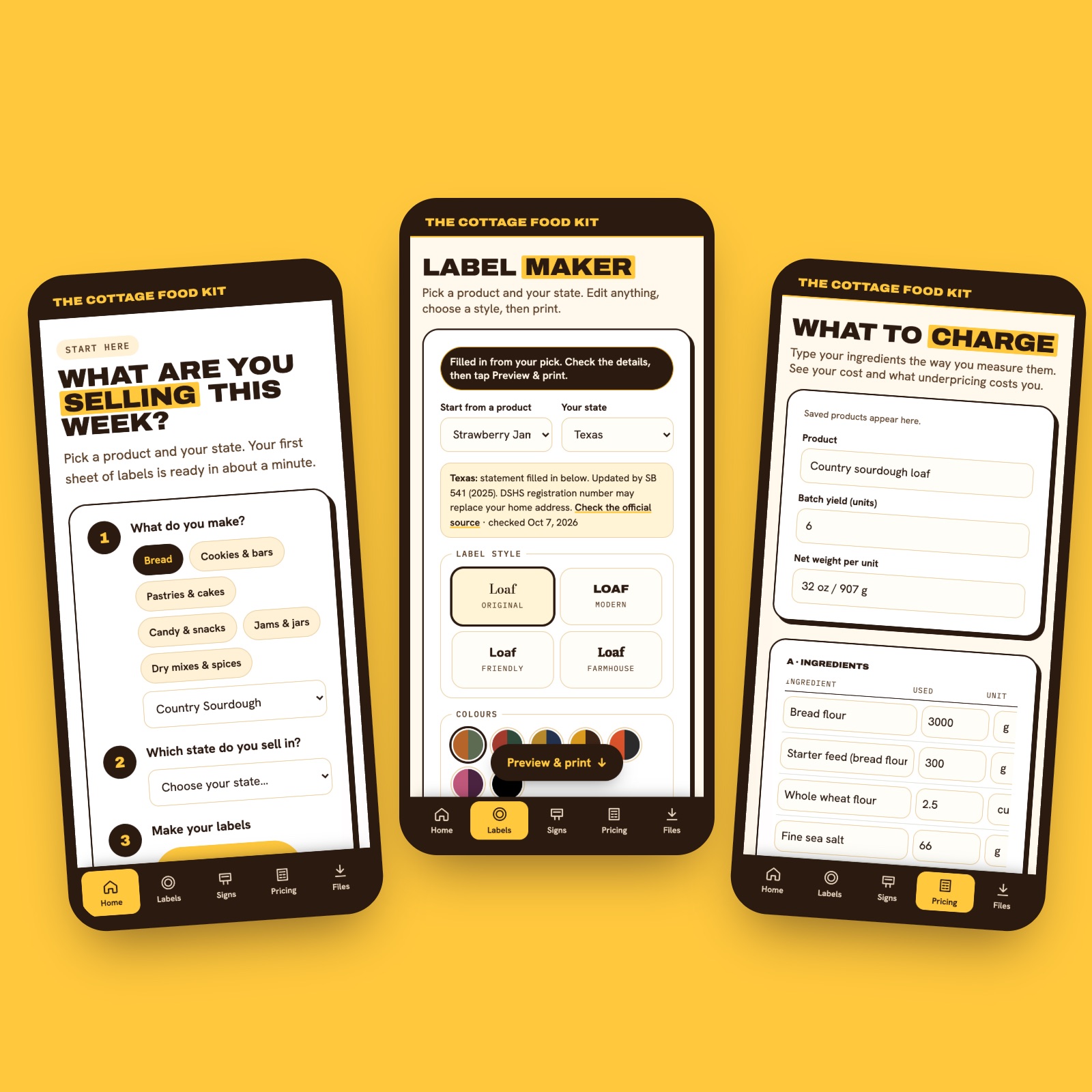
The Cottage Food Kit app on three phones: guided start, Label Maker filled in for Texas, Pricing Calculator

A whole sheet, mixed

Jam, cookies and granola on one label sheet. Allergen cards for the till come from the same details.

Your look, four styles

Original, Modern, Friendly or Farmhouse, in your colours. Round, 2 × 4, thermal or allergen card.

Fits real Avery sheets

A 2-minute test sheet checks your printer first. Then reprint every batch, forever, under your licence.

Get my Cottage Food Kit $35 · one-time · commercial use included
How it works

Checkout to market day in 32 minutes

Four steps, about 32 minutes the first time.

1
About 2 min · page 12

Print the test sheet

Plain paper, scale 100%. Measure the ruler with a real ruler. If it reads 4 inches, every label lands where it should.

2
About 15 min · pages 4–7

Work out your prices

Type your ingredients into the Pricing tab the way you measure them. It shows your price at 20%, 35% and 50% margin, and what your current price costs you a year.

3
About 10 min · pages 8–13

Make your labels

Pick one of 40 products and your state. The label fills in. Adjust the recipe, choose a style and print a full sheet.

4
About 5 min · pages 14–18

Pack your market-day folder

Care cards, allergen cards, stall sign, price card and order forms, ready for Saturday.

Made for the Saturday stall

Labels that look like you meant it

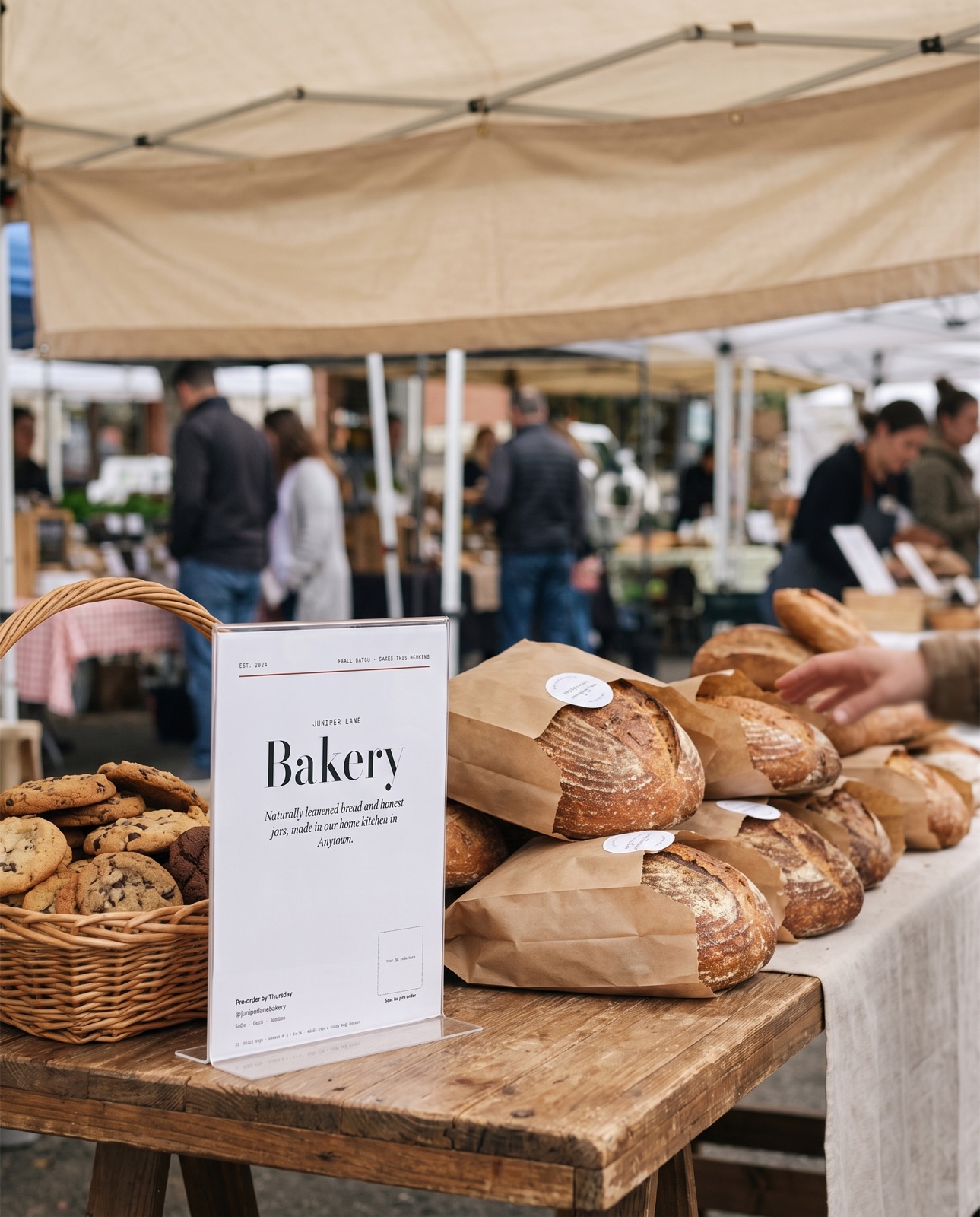
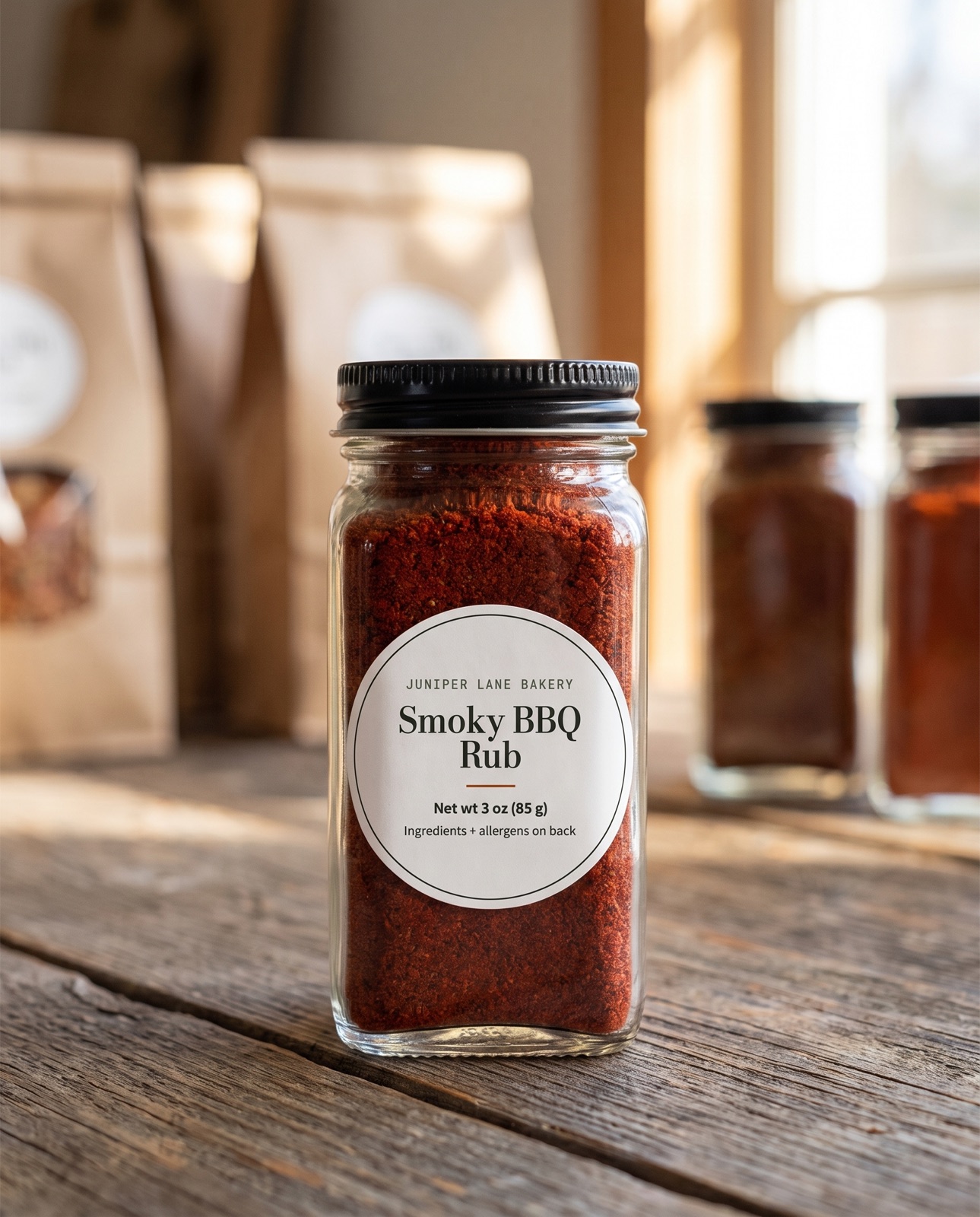
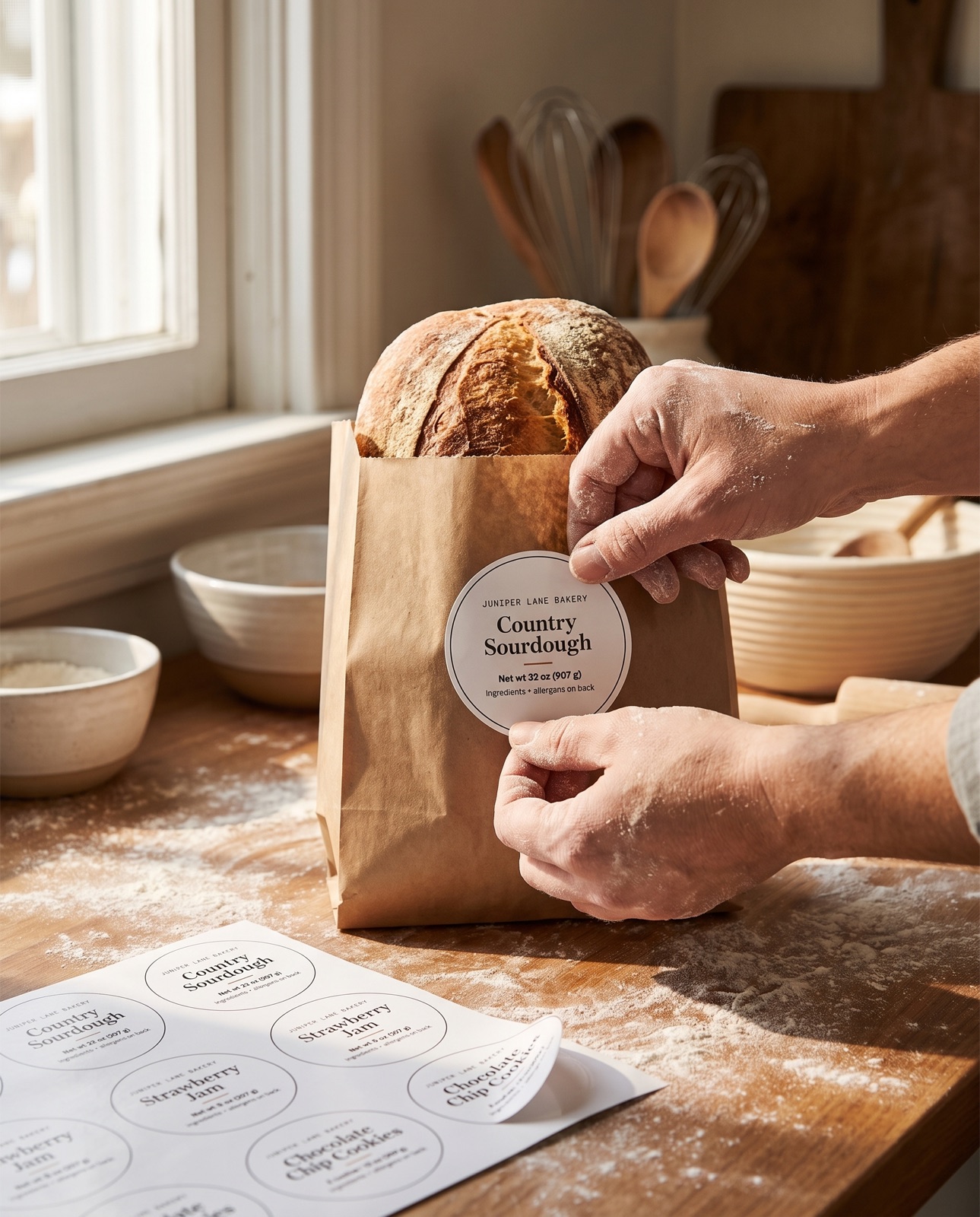
Printed on a home printer, on standard Avery sheets. Shown here with the sample bakery from the kit.

Home bakery stall at a farmers market with labeled loaves and a printed stall sign
Stall sign · page 16
Spice jar with a 2 inch round printed label
2 in round label · Avery 22807
Hands pressing a round label onto a bread bag
Label Maker · type once, print a sheet
The label system

The right label. Every time.

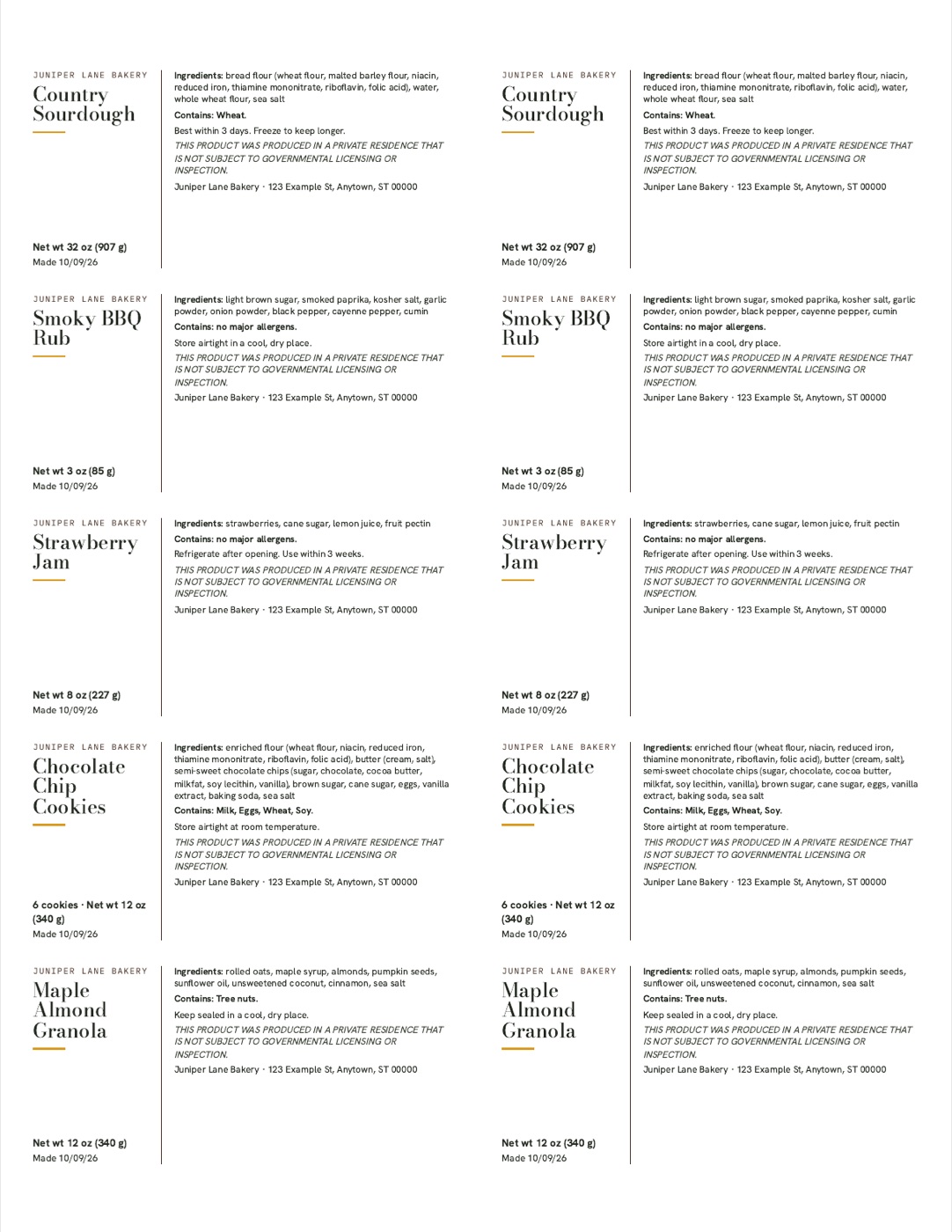
The anatomy page shows the eight things most US cottage food labels ask for. The Label Maker lays them out for you on round, 2 × 4, thermal and allergen-card formats, with your allergens in bold.

  • Net weight in ounces and grams, converted for you
  • The 9 major US allergens as tick boxes
  • Mix several products on one sheet, or print ten sheets at once
  • Skip used spots on a half-printed sheet
  • Nudge in 1/32 in steps if your printer feeds off-center
  • Save your products and back them up to a new phone or computer
  • Blanks in every size for writing by hand

Rules differ by state and county. The Label Maker fills in your state's wording and links the official source to confirm. It is not legal advice.

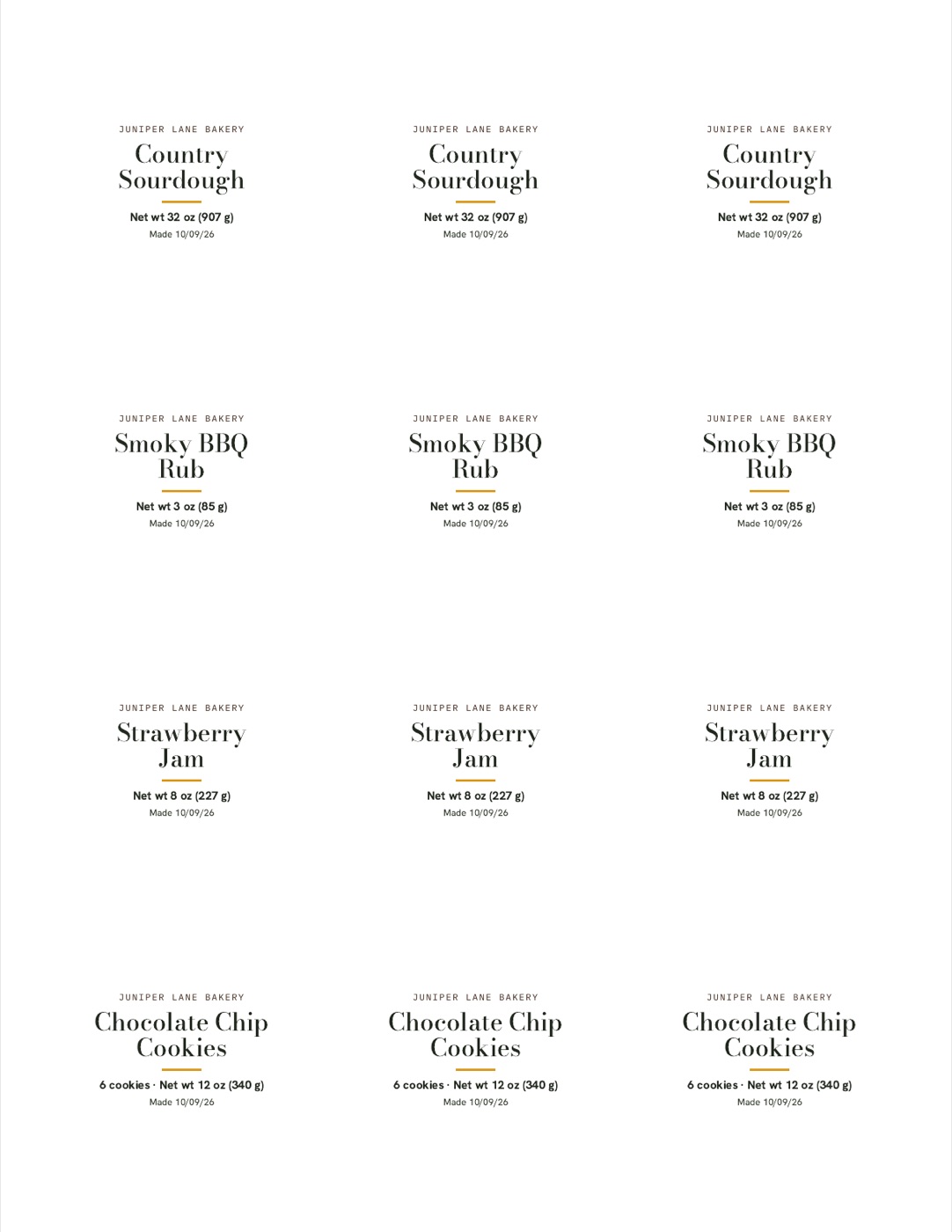
Sheet of ten 2 by 4 inch ingredient labelsSheet of twelve 2 inch round front labels
Label Maker

Pick your state. We fill in the wording.

The worry is always the same: "Is my label right?" So the Label Maker fills in the hard parts for you.

  • All 50 states + DC. Your state's required home-kitchen sentence fills in, with a link to the official source.
  • 40 ready products. Sourdough, cookies, banana bread, jams, rubs, granola and more, with ingredients and allergens already filled in.
  • Net weight converted. Type 12 oz, it prints 12 oz (340 g).
  • Mix products on one sheet. 3 sourdough, 3 jam, 6 cookies: one print, no wasted labels.
  • Allergen cards for the till. Printed from the same details, all 9 allergens marked.
  • Too much text? It warns you before you waste a sheet.

Rules change. Every state entry shows the date we checked it and links to the source, so you can confirm in one click.

Label Maker with Texas selected and chocolate chip cookie labels filled in
The pricing system

Stop undercharging.

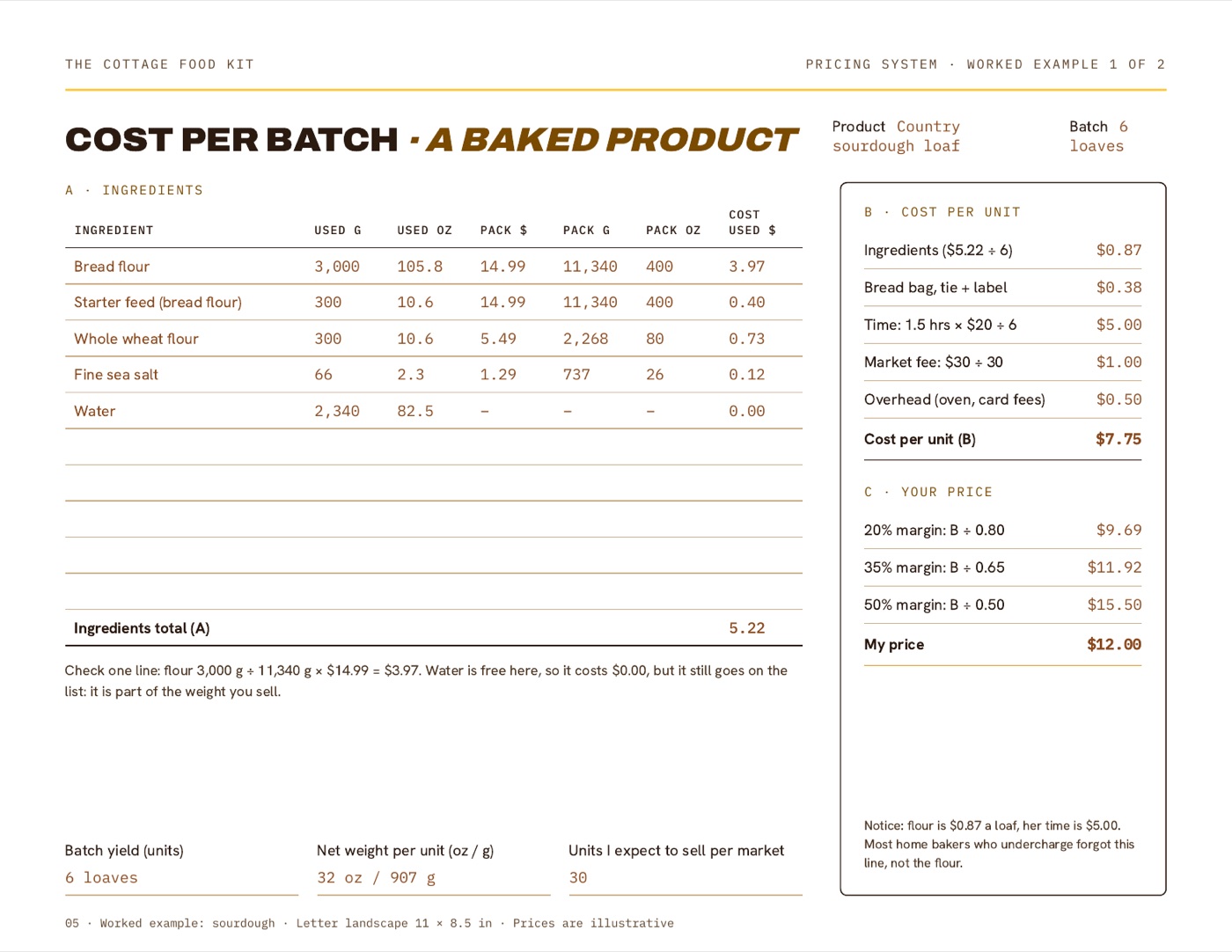
Most home sellers price from the flour bag and forget their own time. Put in your numbers. The full calculator in the kit does this ingredient by ingredient, in grams, ounces or cups.

Get my Cottage Food Kit Pricing, labels and market-day printables · $35
Quick check · example sourdough loaf

20% margin$0
35% margin$0
50% margin$0
Online pre-orders

Pre-orders that add themselves up

One click copies a ready order form and order tracker into your own Google account. Customers order from your link or QR code. Every order lands in one table, and the bake list tells you exactly what to make for Saturday.

  • A finished Google Form: name, contact, pick-up day and a "how many" for each product
  • Orders fill a sheet by themselves, with Paid and Picked up tick boxes
  • Bake list: totals per product, for all orders or one pick-up day
  • QR code and stall sign that open your form, made in the same app

Free Google Forms and Sheets. Your orders stay in your Google account, nobody else sees them.

Look inside

Real pages. Not a mockup.

Every page below is in your kit exactly as shown.

What changes

Market day, minus the panic

Filled sourdough pricing worksheet

Put your time in the price

In the sourdough example the flour is $0.87 a loaf and the baker's time is $5.00. Now you see both.

Ingredients and allergens card

Answer allergy questions fast

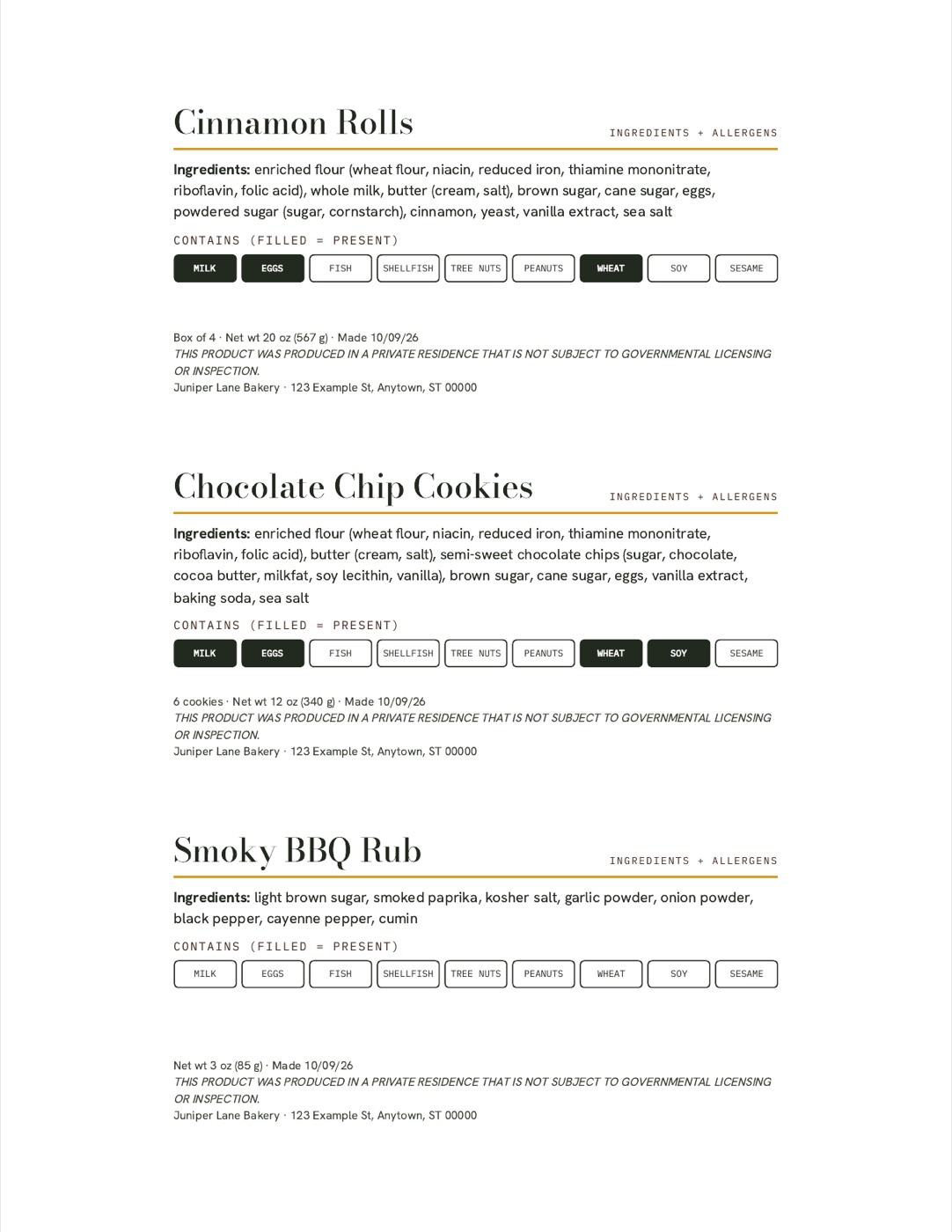
One card per product at the till, with the nine allergens marked.

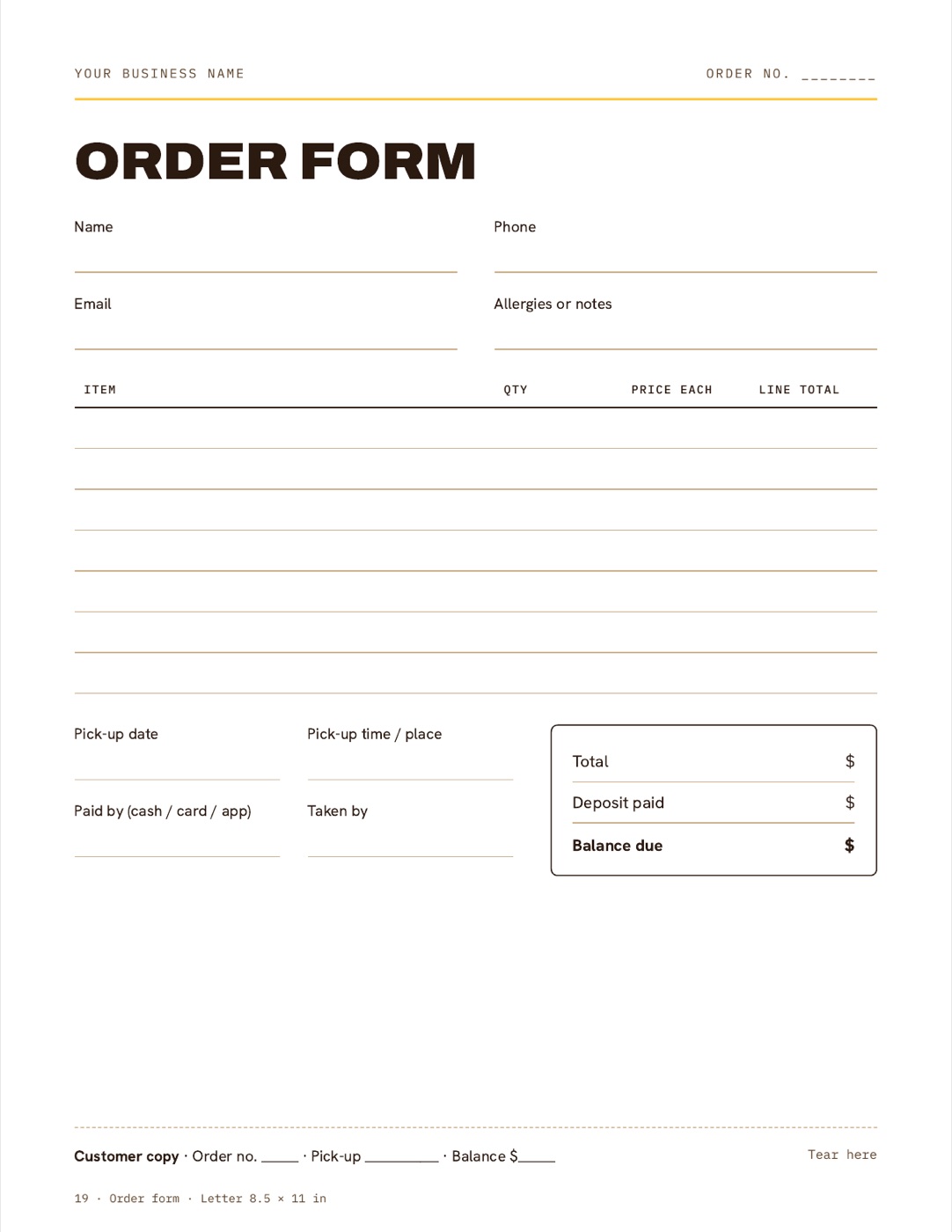
Order form

Take pre-orders properly

An online order form that feeds a tracker and a bake list. A paper order form with tear-off copy for the stall, too.

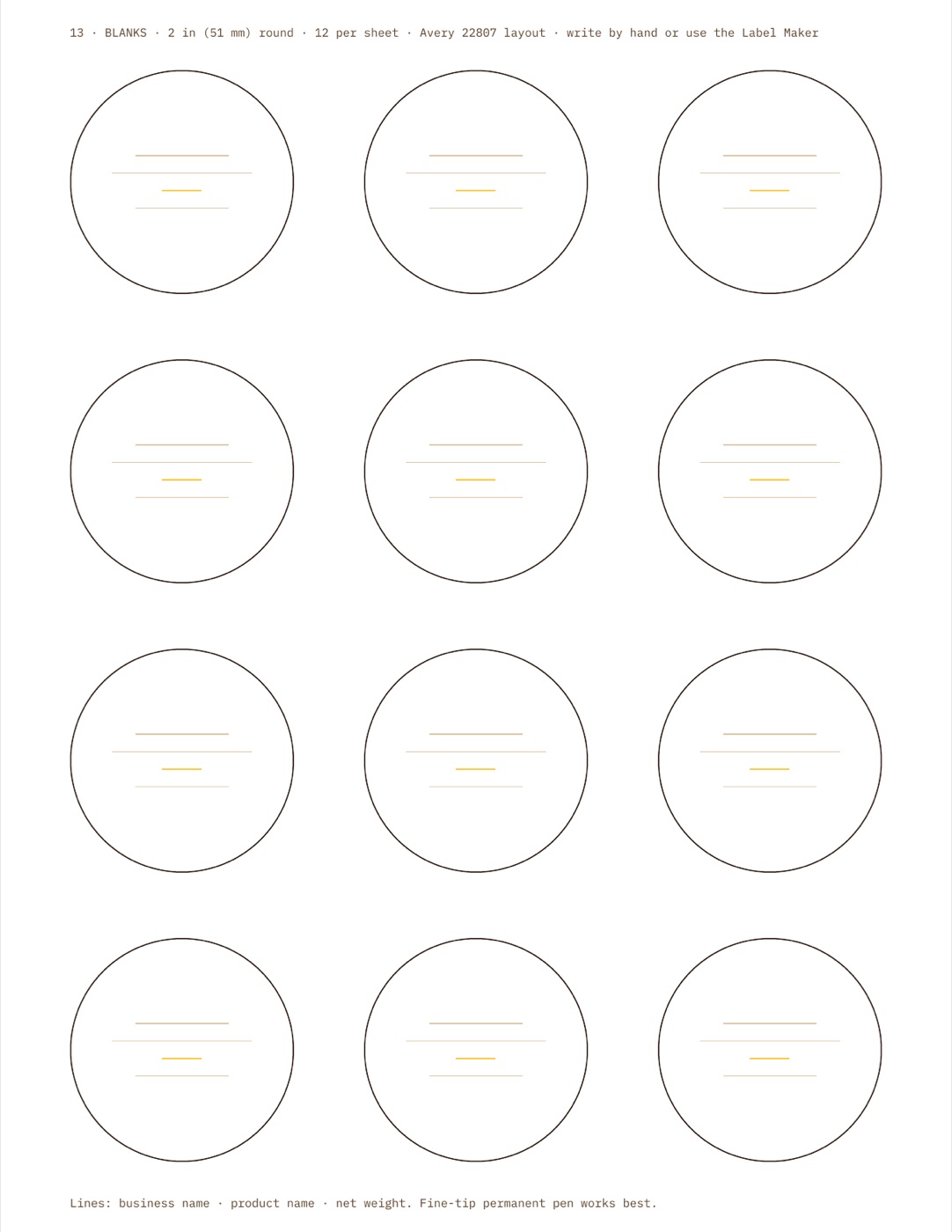
Blank round labels

Reprint when you need to

New product, new batch date. Print another sheet, no new purchase.

In the box

What's in the box

51States + DC covered

Required label wording, with official source links.

40Ready products

Ingredients and allergens pre-filled. Edit and print.

6Tools in one kit

Label Maker, Market Signs, Pricing Calculator, QR Code Maker, Pricing Spreadsheet and a Pre-order Form + Tracker. Works on your phone, even offline.

∞Prints, one business

Commercial-use licence included.

Why we made it
More time for the food. A clearer plan for everything around it.

Good food still needs a price, a label and the paperwork that goes home with the order. This kit puts those pieces in one place, so the Saturday stall feels like a business and not a scramble.

The Cottage Food Kit · Made for US home food sellers
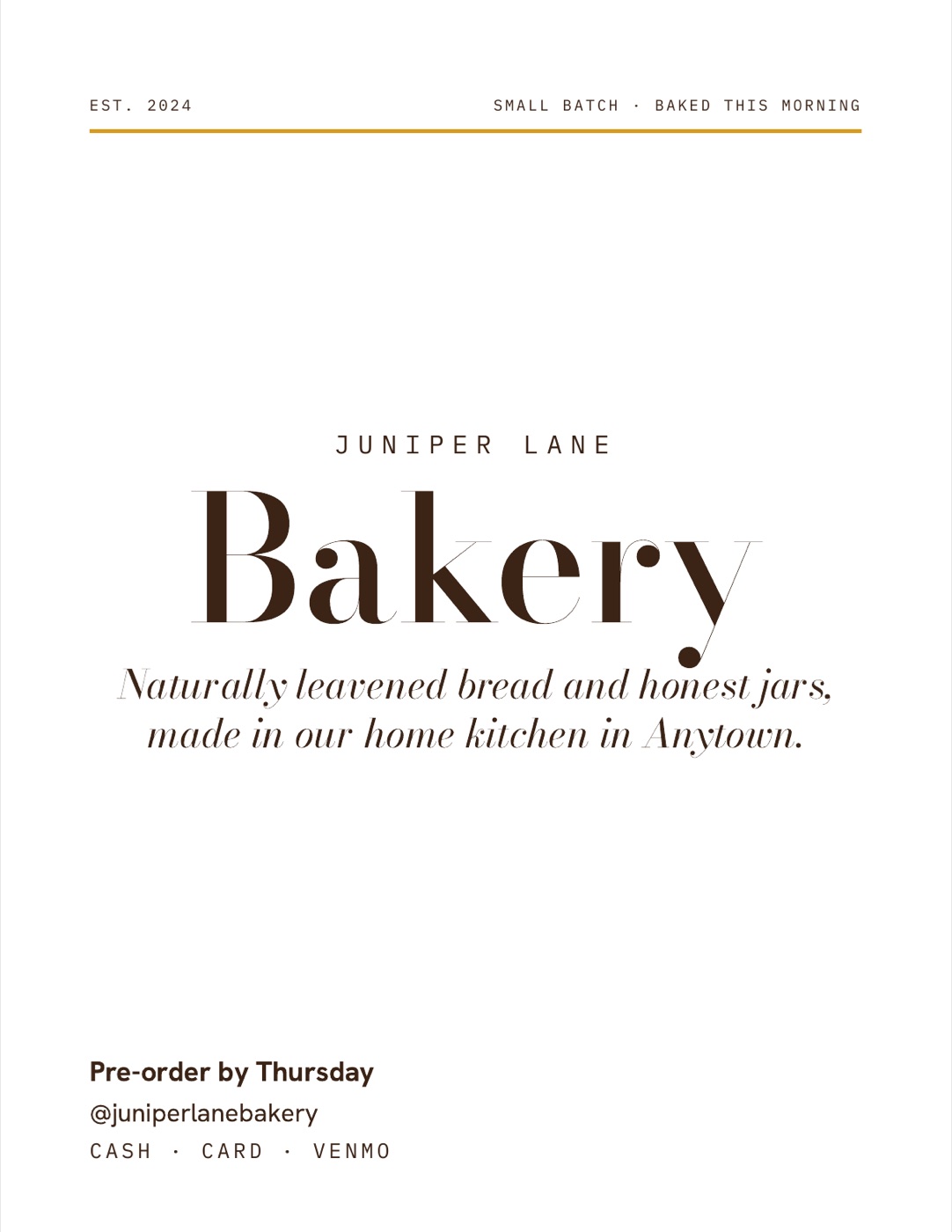
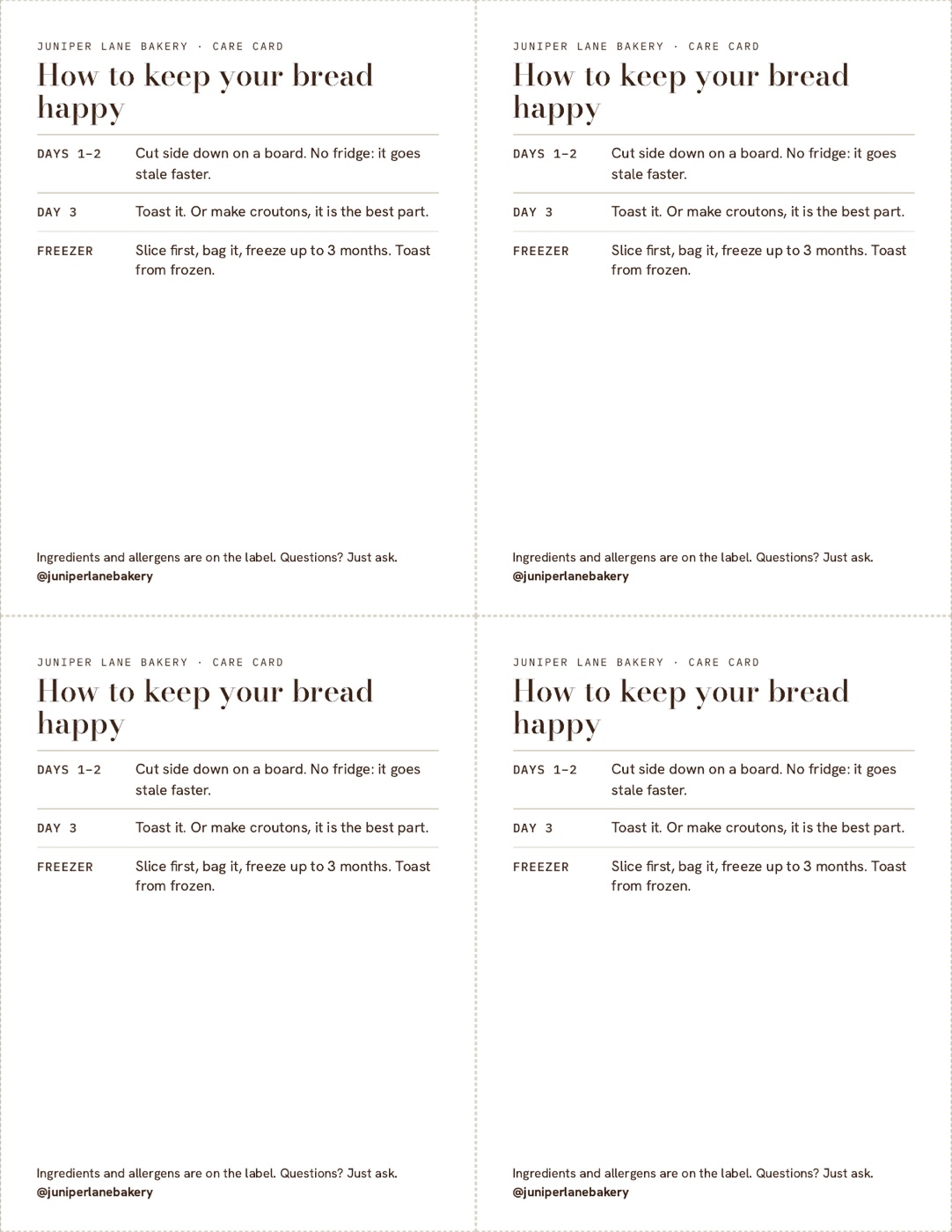
Stall sign for Juniper Lane BakeryCare cards, four per sheet
At a glance

The kit vs. doing it alone

What you needThe Cottage Food KitBuilding it yourself
Pricing spreadsheetReady for Excel and Google SheetsBuild your own formulas
Cost-per-batch worksheetIncluded, with 2 worked examplesDraw your own
Grams, ounces and cupsSide by side, auto-convertedConvert by hand
Your time and booth fee in the priceBuilt into the sheetEasy to forget
Your state's required wordingFilled in for all 50 states + DCSearch your state's statutes
Ingredient lists for common products40 ready, allergens markedWrite each from scratch
Label layout with all required partsAnatomy guide + Label MakerResearch each element
Avery round, 2 × 4 and thermal sizesAll three, plus blanksMeasure and test yourself
Several products on one sheetMix and print in one goOne file per product
Allergen cards for the tillMade from your label detailsDesign separately
Label styles and colours4 styles, your coloursLearn Canva
Online pre-orders with a bake listForm + tracker, one-click copyBuild it yourself
QR codes for Instagram, Venmo, order formQR Code Maker + round stickersFind a QR site
Use it at the marketApp on your phone, works offlineLaptop and Wi-Fi
Printer alignment checkTest sheet with rulersTrial and error on label sheets
Care, allergen and thank-you cardsIncludedDesign separately
Stall sign, price cards, care cardsMade in the app with your detailsDesign separately
Commercial useOne business, unlimited printsCheck each template's licence
If it doesn't line upFit guarantee: fixed or refundedBuy more label sheets
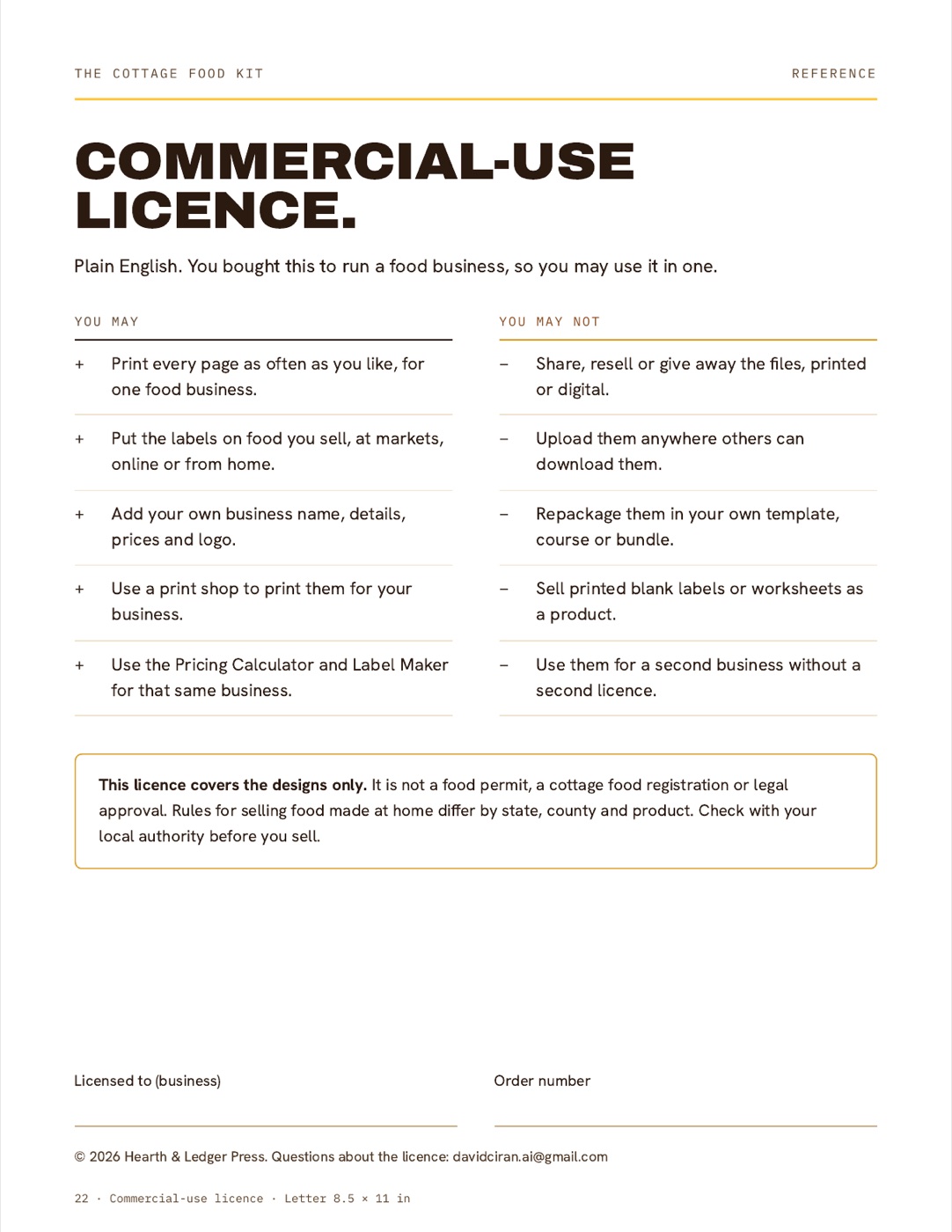
Licence

Made for your business

Print the pages as often as you need, add your business details and use the labels on food you sell. Keep the files to yourself: sharing or reselling them is not allowed.

The licence covers the designs. It is not a food permit or legal approval.

Commercial-use licence page

It lines up, or it's on us.

Print the 2-minute test sheet first. If your labels still don't line up on your printer, email us. We fix the layout for you, or we refund you. Either way you don't waste a pack of label sheets on a template that doesn't work.

Holiday & Gift Label Pack · optional add-on

Your biggest weeks are coming

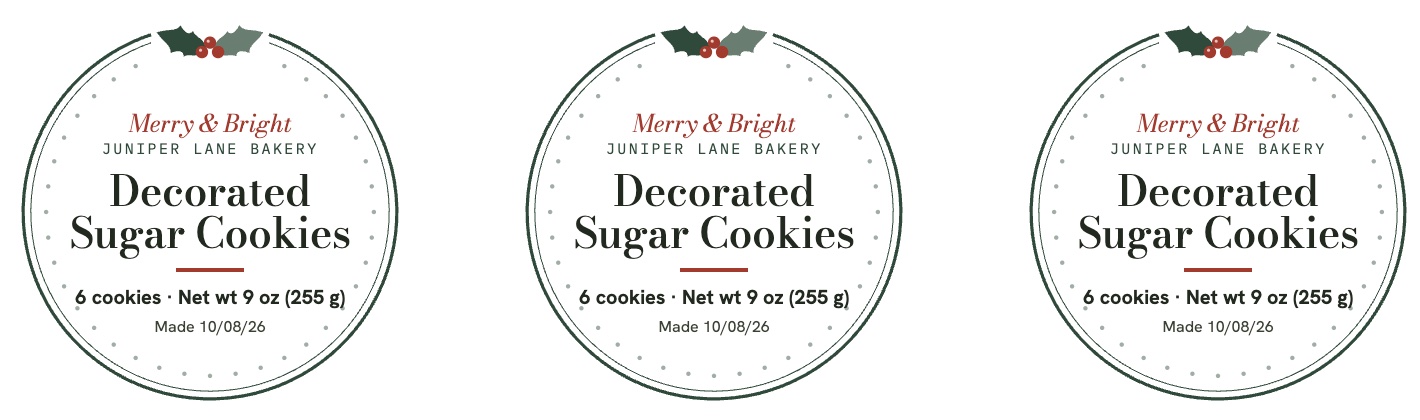
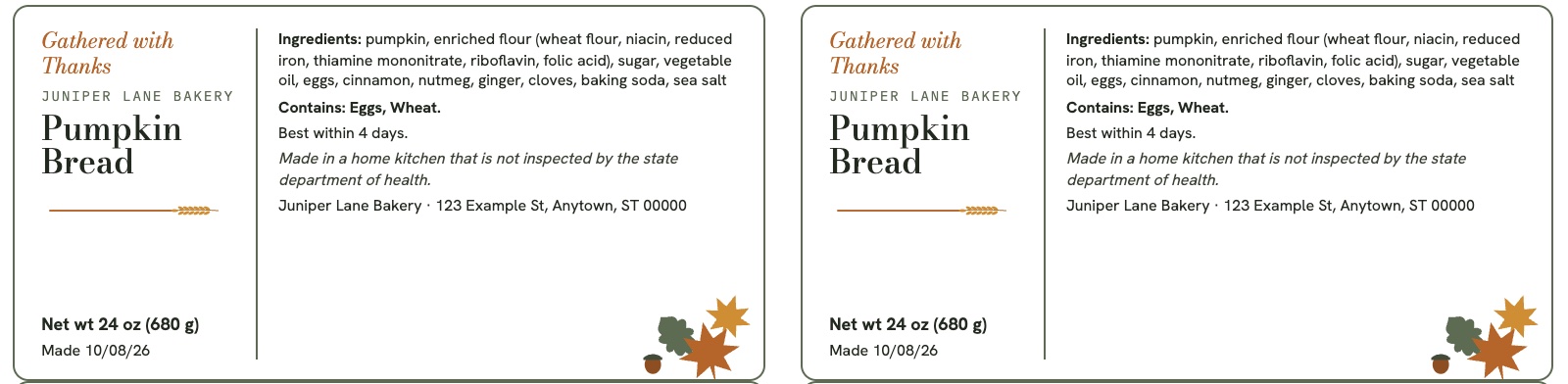
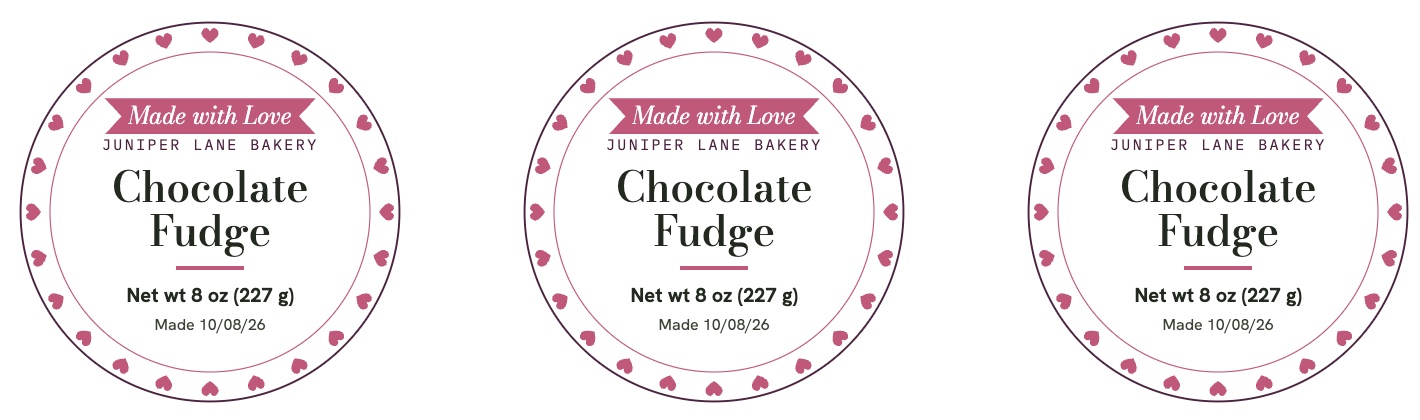
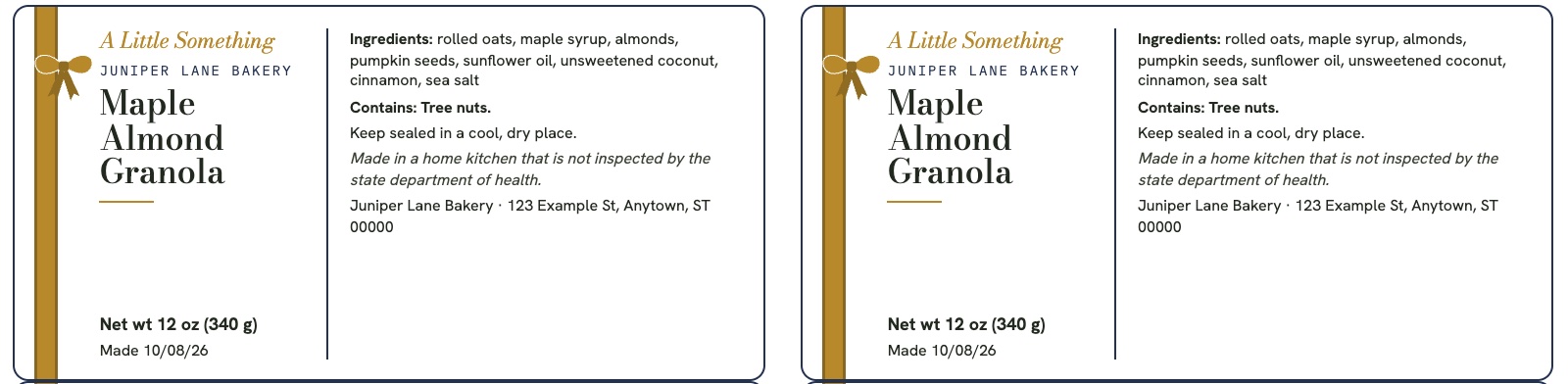
November and December are the biggest selling weeks of the year for home bakers. The Holiday Label Maker adds four illustrated designs: holly and berries for Christmas, autumn leaves and wheat for Thanksgiving, hearts and a ribbon banner for Valentine's, and a gold ribbon and bow for gifts all year. Each comes with a greeting line and matching gift tags, keeps your state wording and allergens, and recolours with your swatch.

Christmas round labels with holly and berries for decorated sugar cookies
Christmas · 2 in round
Thanksgiving 2 by 4 labels with autumn leaves and a wheat rule for pumpkin bread
Thanksgiving · 2 × 4 in
Valentine's round labels with a ring of hearts and a ribbon banner for chocolate fudge
Valentine's · 2 in round
Everyday gift 2 by 4 labels with a gold ribbon and bow for maple almond granola
Everyday gift · 2 × 4 in
Add it to your order
Delivered with your kit, unlocked with its own code right after payment.
+$7
Social & Pre-order Kit · optional add-on

Posts that fill your pre-order list

The Post Maker turns this week's menu into posts people actually order from. Pick a template, type your items, add your own photo and download an image ready for Instagram or Facebook. Plus 12 ready-to-send messages for the texts you write every week.

Taking orders post in the Modern style with a market stall photo Menu and price list post in the Original style Holiday pre-orders post in the Friendly style New product post with a photo of a spice jar
  • 6 templatesTaking orders, at the market, sold out, new product, holiday pre-orders, menu
  • 3 sizes · 4 styles · 5 colour looksFeed, story or square. Original, Modern, Friendly or Farmhouse.
  • Your own photoDrop in a product shot; the layout adjusts so nothing overlaps.
  • 12 message scriptsPre-order announcement, confirmation, pickup reminder, price increase, allergen question, review request and more
Add it to your order
Delivered with your kit, unlocked with its own code right after payment.
+$8
After you buy

Printing in 5 minutes

  1. 1

    Open your kit

    Right after payment you land in the app with your unlock code. Save the code for your other devices. Add it to your home screen if you like.

  2. 2

    Pick product + state

    Choose what you sell and where. Your label opens with your state's wording already filled in. The PDF and spreadsheet are one tap away under Files.

  3. 3

    Print the test sheet

    Two minutes on plain paper, then your first real labels. If they don't line up, we fix it or refund you.

FAQ

Questions, answered

Format, printing, labels and the licence.

Is this a physical product?

No. It is digital: a simple web app with the Label Maker, Pricing Calculator and QR Code Maker, plus a 23-page printable PDF and a Pricing Spreadsheet you download and keep. You supply the printer, paper and label sheets.

How do I get it after I buy?

Right after checkout you land in the app with your personal unlock code, and that device is unlocked. Save the code: type it once on your other phone or computer and everything is there. No account or password. Your code works on up to 4 of your own devices (phone, laptop, tablet), and signing out on one frees its spot. Bought an add-on? It has its own code, shown with your kit code. Lost your code? Get it again in the app with the email you paid with, or write to support@cottagesfoodkit.store.

How does the pricing calculator work?

There are two versions, use whichever you like. The Pricing Calculator is in the app (it works offline once opened): type your ingredients, amounts and pack prices, and it shows your cost per unit and prices at 20%, 35% and 50% margin. The Pricing Spreadsheet does the same in Excel, Google Sheets or Numbers, with up to 8 recipes, a summary tab and a market-day profit log. A paper worksheet is included too, if you prefer a pencil.

Is it only for bakers?

No. The examples cover a baked loaf and a jarred spice rub, and the sample labels include jam, cookies and granola. The worksheet and Label Maker work for any product you are allowed to sell under your state's rules.

What printer and labels do I need?

Any home inkjet or laser printer. Labels fit Avery 22807 (2 in round) and Avery 5163 / 8163 (2 × 4 in). The 4 × 6 in layout is for thermal printers like Rollo or Munbyn. Print the test sheet first.

Does it have my state's required wording?

Yes. Pick your state in the Label Maker and its required home-kitchen sentence fills in. All 50 states and DC are covered, each with the date we checked it and a link to the official source. Rules change and some counties add their own, so confirm on that link before you sell. This kit is not legal, tax or food-safety advice.

What if the labels don't line up on my printer?

Print the test sheet on page 12 first: it catches the usual cause (your printer scaling the page). If they still don't line up, email us. We fix it for you or refund you.

Can I edit the labels and change the look?

Yes. Everything is editable: product name, ingredients, allergens, weights, dates, address and statement. Choose one of four styles (Original elegant serif, Modern bold caps, Friendly rounded, Farmhouse slab), pick from 7 colour pairs or your own colours, and add a printed border. Blank sheets are included for writing by hand.

How do online pre-orders work?

In the app, tap "Get the order form + tracker". Google makes your own copy of a ready order form and a linked spreadsheet in your Google account. Change the products and pick-up days, share the form link or QR code, and every order lands in the Orders tab. The Bake list tab adds up what to make. It uses free Google Forms and Sheets, and your orders stay private in your account.

What are the add-ons?

Two optional extras you can add at checkout. The Holiday & Gift Label Pack ($7) adds Christmas, Thanksgiving, Valentine's and gift themes plus gift tags. The Social & Pre-order Kit ($8) adds the Post Maker and 12 message scripts. The kit works fully without them.

Can I use it for my business and print more copies?

Yes, for one business, as many times as you like. You may not share, resell or redistribute the files.

The Cottage Food Kit

Your next market day starts here

Label Maker with 50-state wording · 40 ready products · 4 label styles · mixed sheets + allergen cards · Market Signs · online pre-order form + tracker · Pricing Calculator + Spreadsheet · QR Code Maker · app for phone and computer · 23 printable pages · fit guarantee

Get the kit · $35 Instant access · nothing ships